Let's get you started!
Before starting, ensure that MyEEB1 is added to your home screen, as the feature requires it.
First, our system needs to retrieve your courses from the school's database.
Step 1: Open the sms.eursc.eu portal and log in.
Step 2: Once logged in, open your schedule.
Step 3: In the top right corner, find the "Get iCal" button (as shown below).
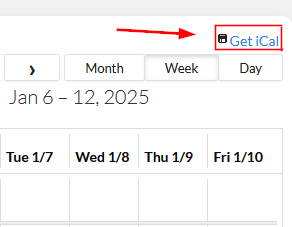
Step 4: Press and hold the button, then select "Copy link address" (or "Copy") to copy the link.